Hi! I have been finding qstat return times really long. It takes around 5min, and ocassionally it fails with “Connection refused” errors. I don’t think its a me problem - I’ve asked around and it happens to others. I don’t remember this happening before, are there any tips as to how to improve it?
I believe that the response has been “Don’t use it so much and it will improve”. There are behaviours that some users use that should be avoided. Submitting many small Walltime jobs. Running qstat regularly to ‘See what is happening’.
”However, please refrain from checking your jobs excessively. Repeated queries will be considered attacks, especially in quick succession. Our recommendation is to query your jobs status a maximum of once every 10 minutes, this should be more than enough.” is the third sentence in the Help documentation.
Hope this helps.
I guess if you see a colleague with unhelpful behaviours, please point them to the documentation.
It’s also why NCI made nqstat, which caches qstat and reduces load on the PBS software.
So if you can, use nqstat
@Aidan can we pin this somewhere? Tips and tricks?
Hi @Aidan , I haven’t really found much info on nqstat, so maybe you can give me the brief explainer? When I run it, it doesn’t show the jobs I’m running. Even when I set nqstat -u jn8053, nothing.
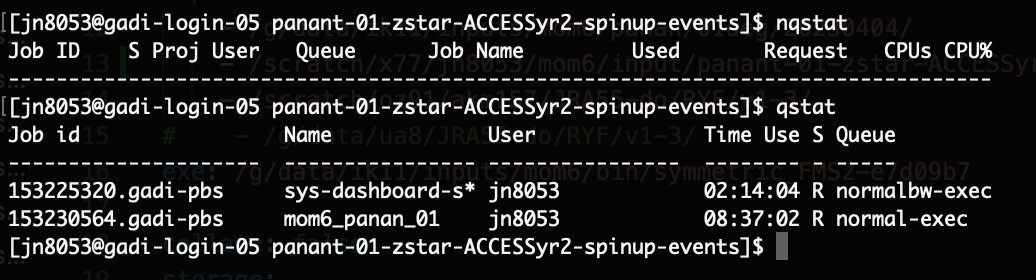
The NCI docs don’t mention it specifically
Job monitoring... - NCI Help - Opus - NCI Confluence…
But you may need to use nqstat -P <project_code>.
The NCI docs do mention nqstat_anu which only shows running jobs, but does include more information.